
5.19 Release Features
This release brings the much-anticipated improvements in the Insurance Posting modules. We’ve also brought some great new options for tracking notes and communicating with each other.
Key Features
Posting Possibilities
More Information, Fewer Clicks Post insurance payments at the bulk or patient level with a new, intuitive interface that offers detailed information in context-sensitive tabs on the right.
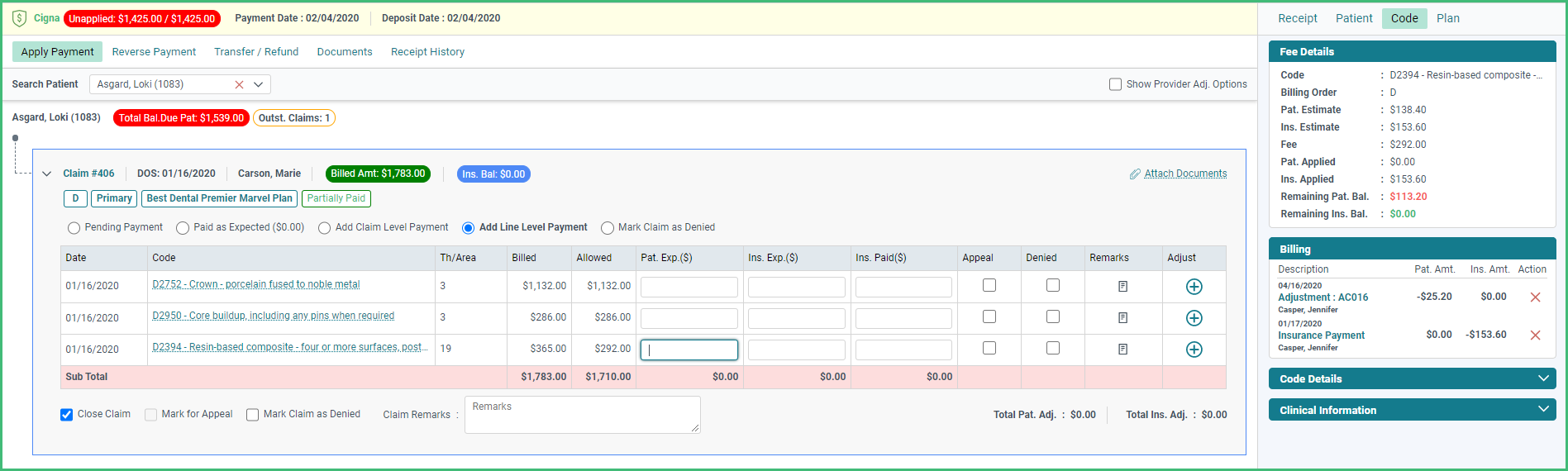
Video Reference: https://vimeo.com/449467189
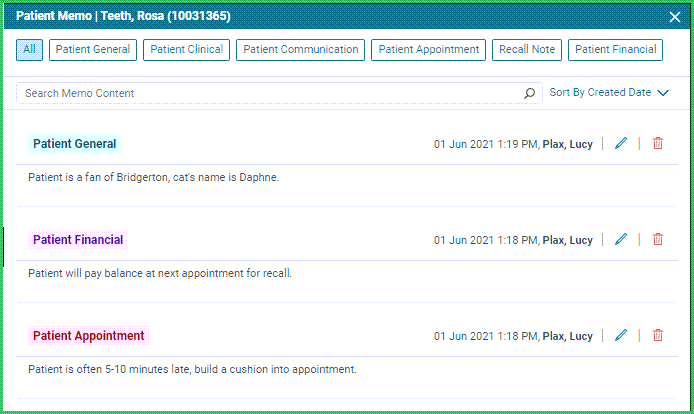
Memo, Memo, Who Has the Memo?
Patients Do. Formerly, Patient Notes this new Patient Memo feature helps track patient information with clean lines, a new category for Financial notes, and a better interface for adding and viewing your non-clinical patient-related notes.
Look for patient messages to be integrated in the next release or two.
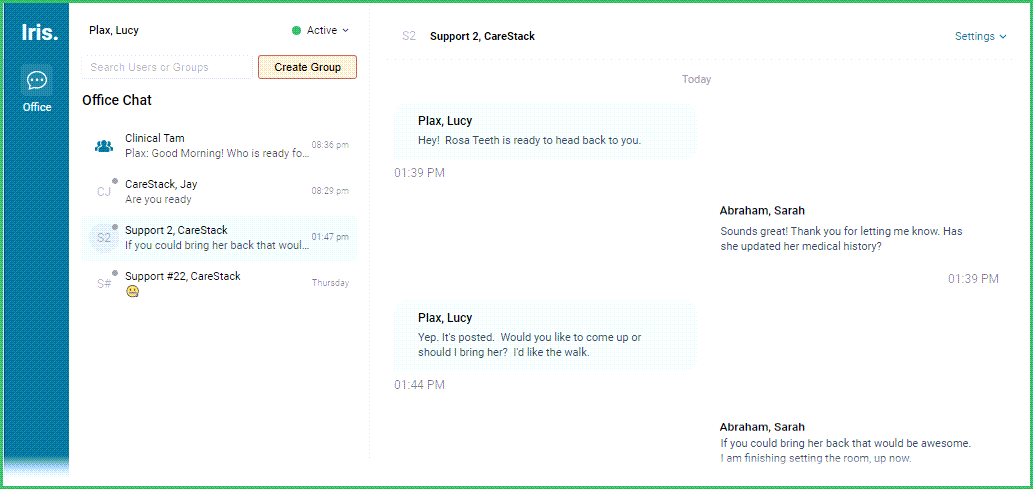
Chit Chat
Chat Internally. Send Messenger style messages to your teams or teammates with standard inter-office-style messages.
More Improvements
Revenue Cycle Management:
- Accept payments via text and portal using Apex
- Create claims for patients with the APB “Assigned Benefits” flag without issue with the now editable billing details on both the electronic and paper versions of the claim.
Front Office:
- Automatically set patients as inactive after they’ve had no activity after a given period. Set your preferences in Practice Settings -> Patient Flags -> Inactive Patient Configuration.
Online Booking and Patient Portal:
- Customize your patients’ portal experience by enabling or disabling functions, such as payments, treatments, or statements. Set your preferences in Practice Settings -> Patient Portal -> General -> Basic Details Configuration.
Clinical:
- Easily identify the color-coded buttons on the Care Panel with the new legend.
Reporting and Analytics:
- Study the intricate details of your receipts with three separate views -Collections, Transaction, and Receipt, for the expanded Payment Log
- Identify a lab case’s specific tooth number and tooth shade within the Lab Case report without having to dig into the individual case.
- Expand your Analytics Dashboard with new widgets for OTC Percentage, Same Day Allocation, and Insurance to Patient Receipt Transfer Percentage.
Setup and Administration:
- Configure preferences for your patient's experience in the Patient Portal by selecting the specific pages to be included. Set preferences at Practice Settings -> Patient Portal -> General -> Basic Details Configuration.
- Reduce your patient load by automatically setting patients as inactive after they’ve had no activity after a given period. Set your preferences in Practice Settings -> Patient Flags -> Inactive Patient Configuration