
5.20 Release Features
This release brings a few new elements to insurance posting -including some we snuck in during a patch. We’ve also got new ways to make the Medical History work for you. As we continue to look to the future, you may find options to try some Beta features. If you do, be sure to give us feedback.
Key Features
Bring the Past to Life
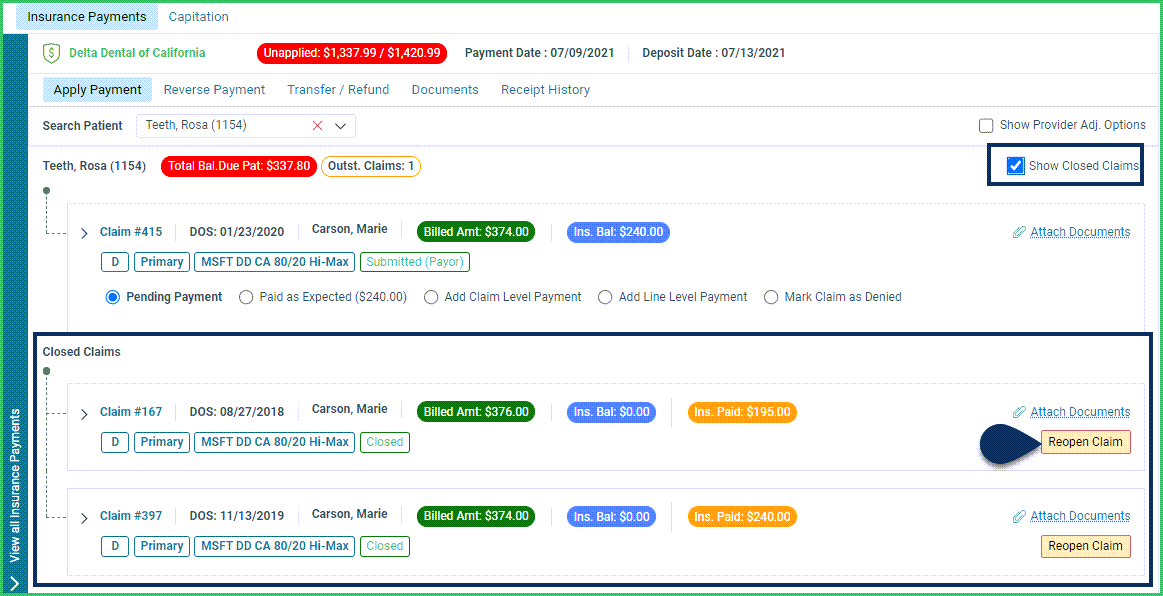
Closed But Not Gone Display a patient’s closed claims and re-open them if needed directly from the Insurance Posting screen, saving tons of clicks.
Allergy Mysteries
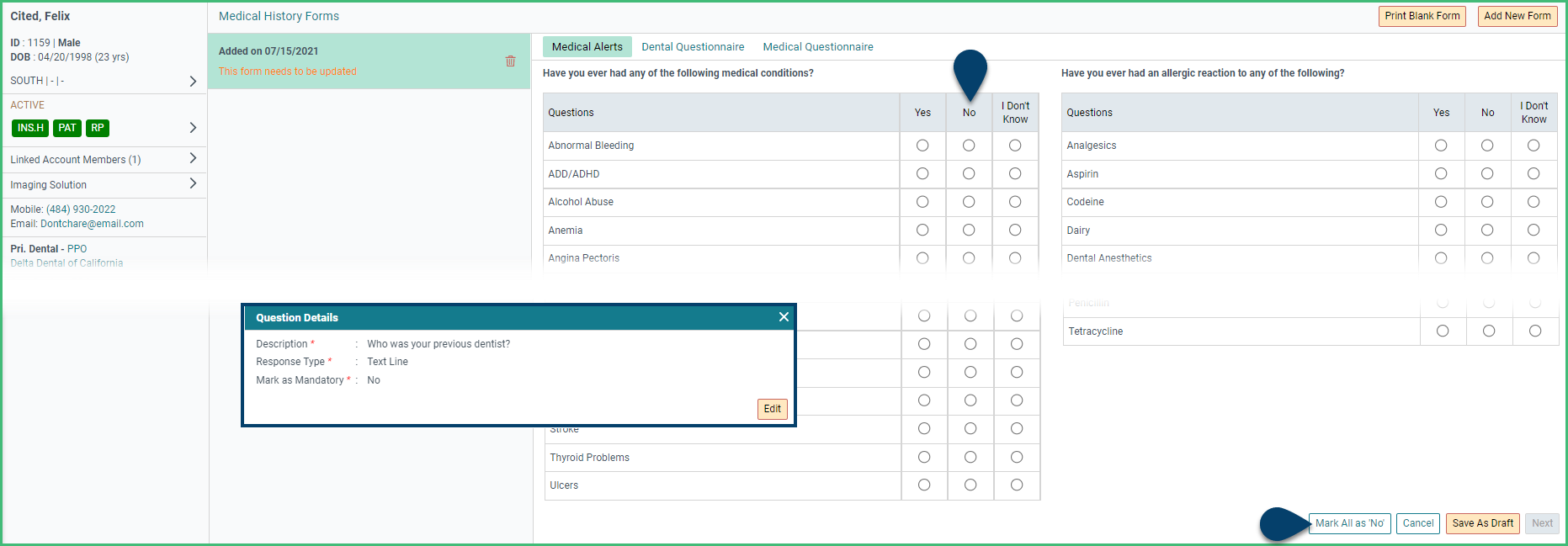
Maybe No, Definitely No Review more accurate Medical History with changes to the form setup. The patient will now need to specifically mark allergies and conditions as “No” and will be required to answer any questions marked as mandatory.
Beep. Chime. Beep Beep.
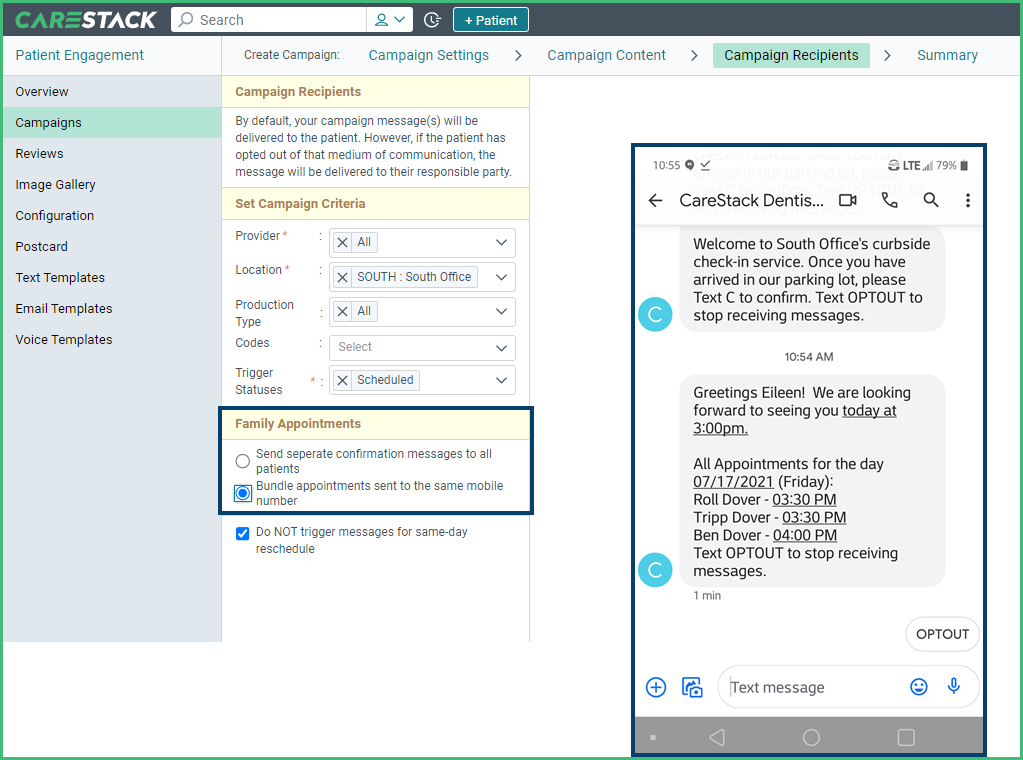
Family Level Confirmations. Set your engagement campaign messages to go individually, or as combined family level messages saving your patients a few beeps.
More Improvements
Revenue Cycle Management:
- Post insurance payments with more ease and accuracy with Insurance and Patient Responsibility labels that better match the EOB and how payments connect to CareStack.
- The License Number field on the claim forms has been expanded to include 15 characters, eliminating issues with some carriers.
Front Office:
- Communicate with staff members who don’t like computer screens or create paper records by printing the Patient Memo
Reporting and Analytics
- Expand your Analytics Dashboard with new KPI widget options like Unscheduled Active Patients, Average Production per Day, and Walkout Retention rate.
- Recognize the trends in the growth of your practice as positive (green) or negative (red).
- Identify completed codes by provider type using the new filter in the Utilization Report.
- Avoid overpaying in collections using the Income Allocation Report to identify payments that were paid in advance but already allocated to a provider.
Early Access
Charting
- New options for adding elements to the chart.
- Locate your desired element quickly with the consolidated +Code button that allows the addition of procedure codes, explosion codes, and conditions.
- View all the collected elements at once and change the billing provider or other details within the summary slide-out.
- Add Care Notes directly to the chart in draft status without interrupting your workflow using Burst mode or retain the current pop-up options in normal mode.
- Learn more: https://vimeo.com/569211177
Advanced Planner
- Group and present treatments with the Advanced Planner’s new case presentation features.
- Tie a Treatment Plan to a specific Treatment Coordinator and track presentation and acceptance statistics.
- Present a Treatment Plan to the patient as a treatment consultant and mark it as presented, giving it a special icon and color-coding.
- Show the history of the plan’s creation, presentation, and status changes.
- Add notes and communicate with your team about the plan with special treatment plan notes.
- Present the plan electronically or on paper, with or without fees. In the electronic version, dynamically rearrange or accept treatments.
- Send the treatment plan to the patient portal
- Learn more: https://vimeo.com/569624761