
5.16 Release Features
With some major renovations coming in revenue cycle management, charting, scheduling, and communication on the horizon, this release is small but addresses some of your requests for improvements with impact.
Key Features
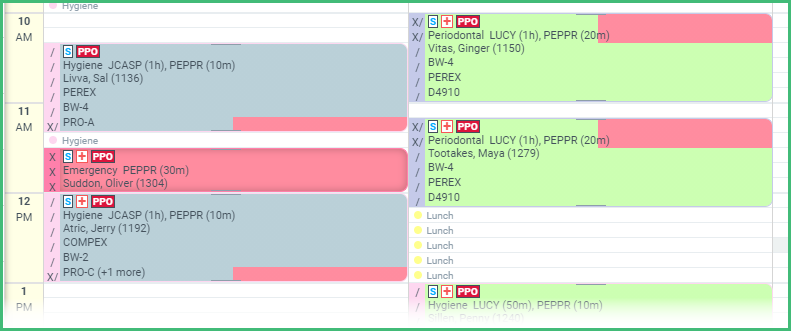
Rainbow of Fruit Flavors
- Multiple Colors for Multiple Providers. Customize your appointment blocks within a view to show provider colors within the block, even when there is more than one.
No More Note Typos
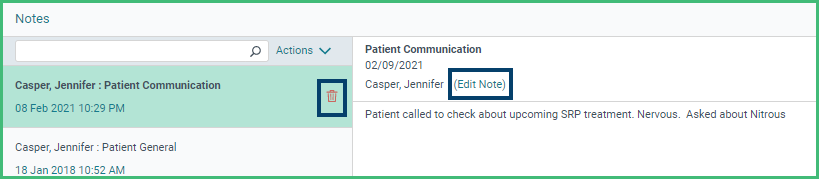
- Correct And Accurate. Patient Notes are great for tracking communication, interests, and concerns, but not if you spell Bridgerton wrong. Now, make edits and delete notes that are no longer relevant.
Waiting and Waiting and Waiting
- For Insurance. Get more accurate insurance estimates when the carrier has waiting periods. You can track the specific waiting period requirements by insurance category.

More Improvements
Clinical:
- The provider from the appointment is automatically selected as the provider for treatments and conditions added to the chart, eliminating the need to manually select a provider.
- The legend is more complete with the inclusion of the “T” for temporary.
Front Office:
- Create better lab communication and tracking with new options for tooth number and shade within the case.
- Patients with similar names, like twins or those with common names like Jones, and Smith, can access the kiosk without involving the front desk team with a new validation option for the first name.
- Create useful patient lists with new filter options for default dentist or hygienist, patient portal access, and communication preferences.
- Quickly identify the production type from the routing slip.
Reports and Administration:
- Work within the Analytics Dashboard more easily with improved organization.
- Deactivate labs you no longer work with, making finding active labs all the easier.
Online Booking and Patient Portal:
- Responsible Parties can book appointments for all members of their family directly through the online booking portal.